
Geographic tab
Live Geographic Network Map
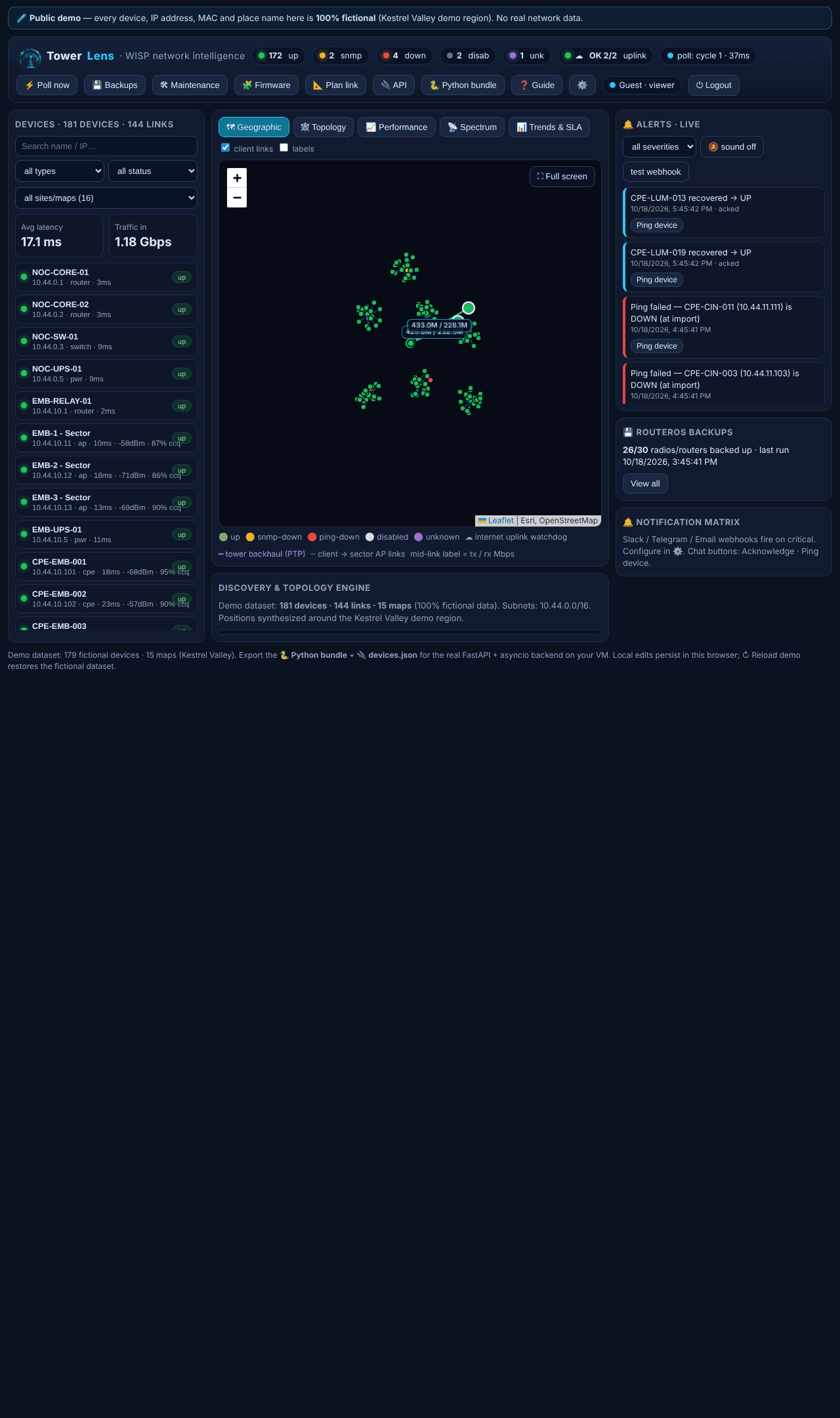
The first tab you land on: every site plotted at its real coordinates, status colour-coded, with client links drawn live underneath.
What it shows
Each device sits at its real latitude/longitude. Colour tells you status at a glance — green up, amber SNMP-down, red ping-down, grey disabled, purple unknown — so a fleet of hundreds of radios reads in seconds, not minutes. Dashed lines trace every client back to its sector AP; thicker solid lines mark tower-to-tower backhaul.
Built for day-to-day ops
Click any marker to open its device drawer. Search by name or IP, filter by type, status or site — selecting a site flies the map there. A full-screen mode turns it into a NOC wall display. Mid-link labels show live TX/RX throughput, always on for backhaul and uplink, per-device on select.
Where it fits
The map is where most sessions start; the Topology tab gives the same network as a schematic when geography isn't the point, and the Performance tab rolls the whole fleet up into a handful of numbers.