
Trends & SLA tab
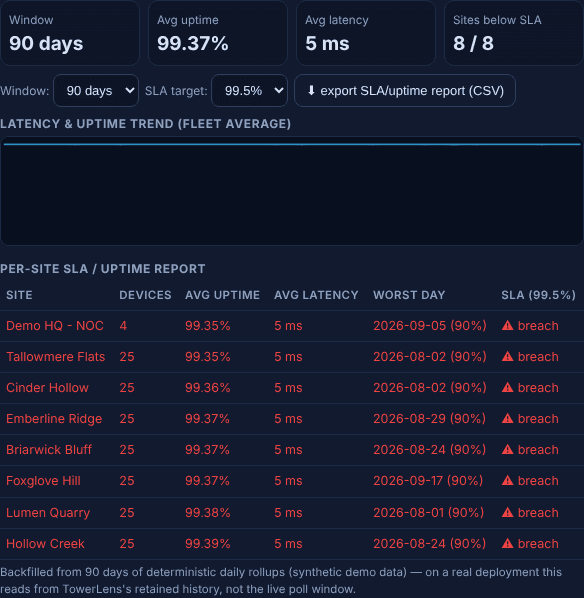
90-Day Trends & SLA Reporting
The live dashboard tells you how things are right now. This tab tells you how they've been — the data that turns 'I think it's fine' into a report you can hand over.
What it retains
30 or 90 days of latency, CCQ, traffic and uptime history per site, selectable from the tab itself — so a slow decline over weeks shows up as clearly as a hard outage, and a monthly or quarterly review has real data behind it instead of a screenshot from the week something broke.
Per-site SLA reporting
Set an SLA target, and every site is checked against it with its average uptime, average latency, and worst single day called out — sites currently in breach are flagged, not buried in a fleet-wide average. A one-click CSV export turns the table into something you can attach to an email.
Where it fits
This tab is the retained-history counterpart to the live Performance tab. The linked guide above covers what to actually track and how to present it to a customer without starting an argument.